Preset pool "Dynamic"
The preset pool Dynamic is a pool that automatically displays the preset type which is currently enabled in the preset control bar.
Open the Preset Pool “Dynamic”
Section titled “Open the Preset Pool “Dynamic””To open the preset pool Dynamic:
- Tap anywhere in the user-defined area.
- The pop-up Create Basic Window opens.
- Tap Presets.
- Tap Dynamic.
- The preset pool Dynamic opens.
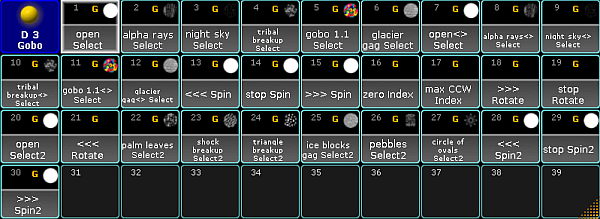
Dynamic pool – Gobo
Close the Preset Pool “Dynamic”
Section titled “Close the Preset Pool “Dynamic””To close the preset pool, tap  in the upper left corner of the pool and tap Delete Window.