Oops
To get the Oops keyword in the command line, type Oops or the shortcut O in it.
Description
Section titled “Description”The Oops keyword is a function keyword to undo the last:
- Command line actions
- Fixture selections
- Programmer actions
Oops can undo the last 100 actions.
For more information, see Oops and undo.
Syntax
Section titled “Syntax”Oops / [Option]
Options
Section titled “Options”To get a list of all available option to the Oops keyword, type in the command line:
[Channel]> Oops /?
| Option | Option Shortcut | Description |
|---|---|---|
| noconfirm | nc | Suppress the confirm undo pop-up. |
| clear | c | Clears the oops list in the oops pop-up. |
Examples
Section titled “Examples”- To undo the recent done action, type in the command line:
[Channel]> Oops
The confirm undo pop-up opens.
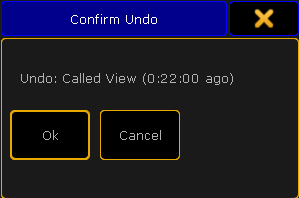
Confirm undo pop-up
- To undo the recent done action and suppress the confirm undo pop-up, type in the command line:
[Channel]> Oops /noconfirm