Search
To get the Search keyword in the command line, press  + Move (= Search).
You can also type **Search **or the shortcut Sea in the command line.
Description
Section titled “Description”The Search Keyword searches for objects and values in the show. For more information see search and replace.
Information:
If you search only for a value, it will be searched for dimmer attributes.
The Search keyword is a function keyword.
Syntax
Section titled “Syntax”**Search [**search for objects] ( At [search values] ) **If [**search in objects]
Example
Section titled “Example”- Search for places in which fixtures 1 through 10 are used, e.g. presets, groups, or sequences. Type the following into the command line:
[Channel]> Search Fixture 1 Thru 10
- A search pop-up opens.
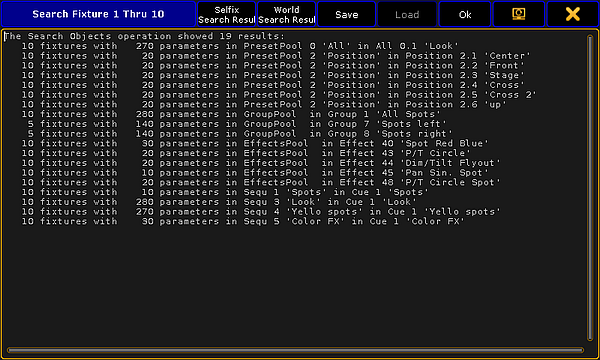
Search results
For more information on the search function and further examples see Search.