Disable bitmap for fixtures
To disable the bitmap visualization for specific fixtures, follow the steps below.
-
Press Setup and tap at Patch & Fixture Schedule.
The Edit Setup opens. -
Tap at the layer in the which the fixture is.
-
Tap at the fixture and scroll to the column Bitmap Disable.
-
Press the screen encoder until Yes is displayed in the cell.
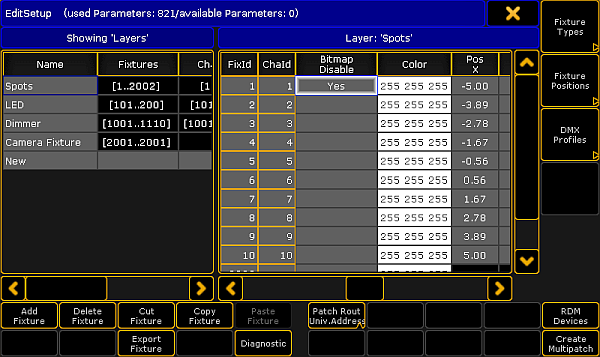
Edit Setup - Disable Bitmap
-
To leave the Edit Setup, tap the yellow
 in the upper right corner.
A warning asks if you want to save the changes. -
Tap Yes.
The bitmap visualization is disabled for the fixture.