SearchResult
To get the SearchResult keyword in the command line, press and hold  + Group Group (= SearchResult).
You can also type SearchResult or the shortcut SR in the command line.
Description
Section titled “Description”The SearchResult keyword opens the world search result after an executed search command. The search result world includes only the fixtures or channels from the last search command.
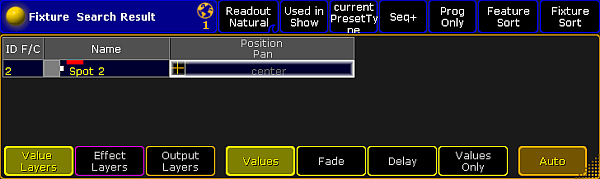
Fixture Sheet World Search Result
To close the SearchResult world, select another world in the world pool.
To select all fixtures from the last search command, use the SelFix SearchResult.
Hint:
You can also use the Selfix Search Result button and/or the World Search Result button in the title bar of the search result pop-up.
The SearchResult keyword is a function keyword.
Syntax
Section titled “Syntax”SearchResult
SelFix SearchResult
Search [object-list] If SearchResult
Examples
Section titled “Examples”- Opens the search result world with the fixtures from the last search command.
[Channel]> SearchResult
- Select only the fixtures from the last search result.
[Channel]> SelFix SearchResult
- Search in the last search result for fixtures with the attribute green at 20.
[Channel]> Search Fixture Thru Attribute “G” At 20 If SearchResult