Network dimmer
Monitor and configure a dimMA system in the window MA Dimmer Network.
Important:
This section deals with the configuration of MA NDPs in the view MA Dimmer Network. The configuration of MA NDPs in the window MA Network Configuration is dealt with in Control the MA NDP.
Requirement:
- Add MA NDPs to the network configuration
For more information see Adding devices to your session.
- Open the MA Dimmer Network.
-Open Create Basic Window. For more information see Manage windows.
-Tap System and then tap Network Dimmer.
-MA Dimmer Network opens.
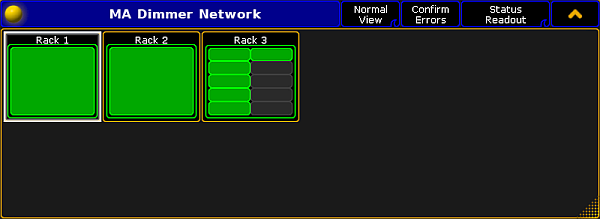
Open MA Dimmer Network
-
To navigate down in the hierarchy of the dimmer network:
-Tap a rack and a window displaying crates opens.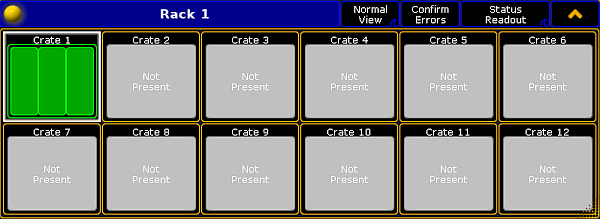
Navigate down to the crates
-Tap a crate and a window displaying modules opens.
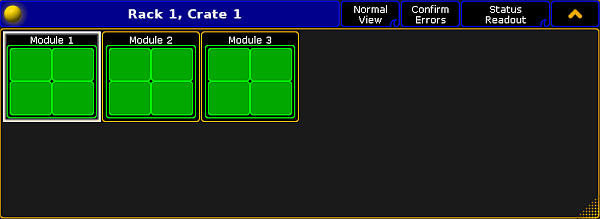
Navigate down to the modules
-Tap a module and a window displaying dimmers opens.
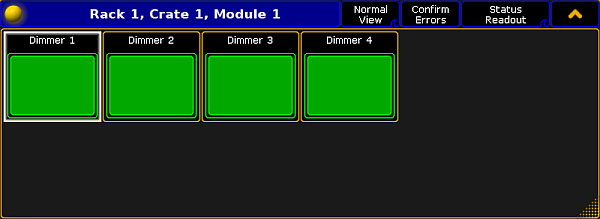
Navigate down to the dimmers
Hint:
Dimmer is the deepest you can go in the hierarchy.
- To navigate upward in the hierarchy, tap
 in the upper right corner of the title bar.
The dimMA Hierarchy
Section titled “The dimMA Hierarchy”The dimMA hierarchy consists of racks, crates, modules, and dimmers.
Rack:
A rack consists of 1 or 2 NDPs and at least 1 crate.
Crate:
A crate consists of 3 modules.
Module:
A module consists of 1, 2 or 4 dimmers.
**Dimmer: **
A dimmer holds all the corresponding configuration data.