RdmInfo
To get the RdmInfo keyword in the command line, type RdmInfo or the shortcut RdmI in the command line.
Description
Section titled “Description”The RdmInfo keyword opens the RDM info pop-up with the actual RDM information to the entered fixture or channel.
The RdmInfo keyword is a function keyword.
For more information, see RDM.
Syntax
Section titled “Syntax”RdmInfo [Channel / Fixture] [ID]
RdmInfo [Channel / Fixture] [ID] / [screen] [ID]
Examples
Section titled “Examples”To open the RDM Info pop-up for fixture 3, type in the command line:
[Channel]> RDMInfo Fixture 3
The RDM Info pop-up opens.
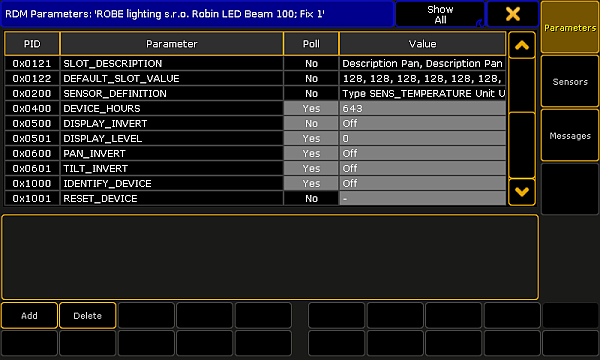
RDM Info pop-up
To open the RDM Info pop-up for fixture 3 on screen 3:
1. Type in the command line:
[Channel]> RDMInfo Fixture 3/screen = 3
2. Press Please.
The RDM Info pop-up opens on screen 3.