MA
The  key is located in the command area below the 0.
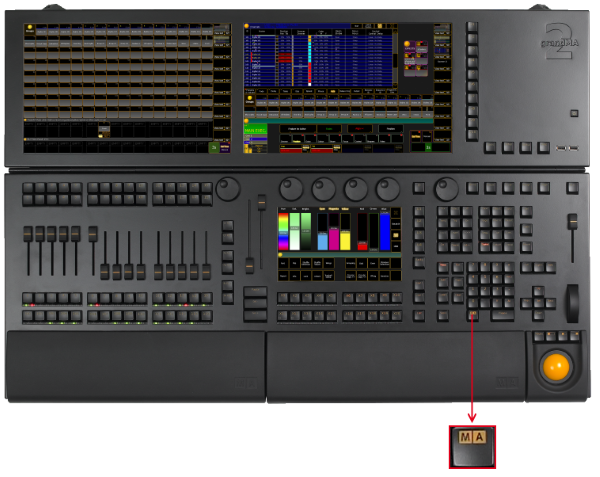
_Location __key __MA _
Press to see all active icons of the message center in the command line. This command shows the icons even if the status is set to No (= empty) in the message center options. For more information on the icons of the message center see icons. For more information on the message center see message center.
The following table contains shortcuts that work in combination with the key.
| Press this key | Command | Description |
|---|---|---|
| + number | No command | Selects the preset type in the preset control bar indicated by the preset type number. |
| + number + same number again | No command | Toggles through the features of a preset type in the preset type bar. |
| + . | Default | Enters the keyword Default into the command line. |
| + At | Stomp | Enters the keyword Stomp into the command line. |
| + At + At | Extract | Enters the keyword Extract into the command line. |
| + Down | No command | Moves down the monitor wing. |
| + Effect | SyncEffects | Executes the keyword SyncEffects. |
| + Fix | No command | Switches the Desk Lock on/off. |
| + Fixture | FixtureType | Enters the keyword FixtureType into the command line. |
| + Full | FullHighlight | Executes the keyword FullHighlight into the command line. |
| + Goto | LoadNext | Enters the keyword LoadNext into the command line. |
| + Goto + Goto | LoadPrev | Enters the keyword LoadPrev into the command line. |
| + Group | Layout | Enters the keyword Layout into the command line. |
| + Group + Group | SearchResult | Enters the keyword SearchResult into the command line. |
| + Group + Group + Group | Mask | Enters the keyword Mask into the command line. |
| + List | List | Enters the keyword List into the command line. |
| + Macro | Timer | Enters the keyword Timer into the command line. |
| + Macro + Macro | Plugin | Enters the keyword Plugin into the command line. |
| + Move | Search | Enters the keyword Search into the command line. |
| + Next | NextRow | Executes the keyword NextRow . |
| + Preset | PresetType | Enters the keyword PresetType into the command line. |
| + Prev | PrevRow | Executes the keyword PrevRow . |
| + Set | No command | Releases the monitor wing brake to adjust the angle of the monitor manually. |
| + Store | Record | Enters the keyword Record into the command line. |
| + Time | No command | Opens the effect layer in the encoder bar. |
| + Time + Time | No command | Switches to the next effect layer in the encoder bar. |
| + Up | No command | Moves up the monitor wing. |
| + Update | No command | Lists updates in the command line feedback view. |
| + View | Screen | Enters the keyword Screen into the command line. |
| + V key | No command | Selects the view page indicated by the V key number. |