Clone presets
Table of content:
- Clone fixture to fixture
- Clone fixture to fixture type
- Clone fixture type to fixture
- Clone fixture type to fixture type
- Clone to universal fixture type
Important:
As mentioned in **Examples **cloning from or to fixture types is only possible in presets.
Where to Use Clone
Section titled “Where to Use Clone ”It is possible:
- To clone from fixture to fixture
- To clone from fixture to fixture type
- To clone from fixture type to fixture
- To clone from fixture type to fixture type
Important:
Cloning to fixtures adds selective data to presets.
Cloning to fixture types adds global data to presets.
Requirements:
- Create a show file with presets
- Prepare cloning
For more information on how to prepare cloning see Clone using screens.
Example
Section titled “Example”- Clone fixture 1 to fixture 11
- Initial situation before cloning:
-Fixture 1 with pan and tilt values of min.
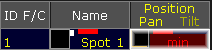
Clone Fixture to Fixture – Initial Situation
- Initial preset situation before cloning:
-The preset contains selective data for fixture 1.
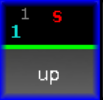
Preset Pool – Selective Data
- Final result after cloning:
-This process created selective data for fixture 11.
-Fixture 11 now has the exact same pan and tilt values as fixture 1.
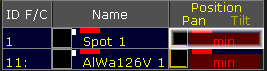
Clone Fixture to Fixture – Final Situation
- Final result after cloning:
-The preset now contains selective data for fixture 11.
Preset Pool – Selective Data
Example
Section titled “Example”- Clone fixture 1 to fixture type 4.1
- Initial preset situation before cloning:
-Fixture 1 with pan and tilt values of min.
Clone Fixture to Fixture Type – Initial Situation
- Initial preset situation before cloning:
-The preset contains selective data for fixture 1.
Preset Pool – Selective Data
- Final result after cloning:
-This process created global data for fixture type 4.1.
-Fixture type 4.1 now has the exact same pan and tilt values as fixture 1.

Clone from Fixture to Fixture Type – Final Result
- Final result after cloning:
-The preset now contains global data for fixture type 4.1.
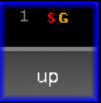
Preset Pool – Selective and Global Data
Example
Section titled “Example”- Clone fixture type 4.1 to fixture 1
- Initial preset situation before cloning:
-Fixture type 4.1 with pan and tilt values of min.

Clone Fixture Type to Fixture – Initial Situation
- Initial preset situation:
-The preset contains global data for fixture type 4.1.
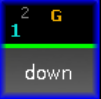
Preset Pool – Global Data
- Final result after cloning:
-This process created selective data for fixture 1.
-Fixture 1 now has the exact same pan and tilt values as fixture type 4.1
Clone Fixture Type to Fixture – Final Result
- Final result:
-The preset now contains selective data for fixture 1.

Preset Pool – Global and Selective Data
Example
Section titled “Example”- Clone fixture type 4.1 to fixture type 7.1
- Initial situation:
-Fixture type 4.1 with pan and tilt values of min.
Clone Fixture Type to Fixture Type – Initial Situation
- Initial situation:
-The preset contains global data for fixture type 4.1.
Preset Pool - Global Data
- Final result after cloning:
-This process created global data for fixture type 7.1.
-Fixture type 7.1 now has the exact same pan and tilt values as fixture type 4.1.

Clone Fixture Type to Fixture Type – Final Result
- Final result:
-The preset now contains global data for fixture type 7.1.
Preset Pool - Global Data
Clone to Universal Fixture Type
Section titled “Clone to Universal Fixture Type”
Important:
Universal data is data of all fixtures that have the same attribute. Also, it is redundant to clone universal preset data.
If the target data is to be universal, then clone to fixture type 1.1.
[Channel]> Clone Fixture 1 At FixtureType 1.1 If Preset 2.4