Create Presets
You can easily create universal dimmer or color presets.
To learn more about presets, please read the Create New Preset topic.
Create Universal Dimmer Presets.
Section titled “Create Universal Dimmer Presets.”This is the workflow to create universal dimmer presets:
- Press Menu, then tap Show Creator.
- On the left side of the window, tap Create Presets.
- On the window’s feature group bar, tap Dimmer.
- Tap Dimmer Increment to define the increasing percentage from one preset to the next. Presets are created from 0% to 100%. The allowed increment input range is from 5% to 50%.
- In the Presets area, tap an empty pool object. This will define the starting point for generating presets.
- Tap Create Dimmer on the bottom right of the window.
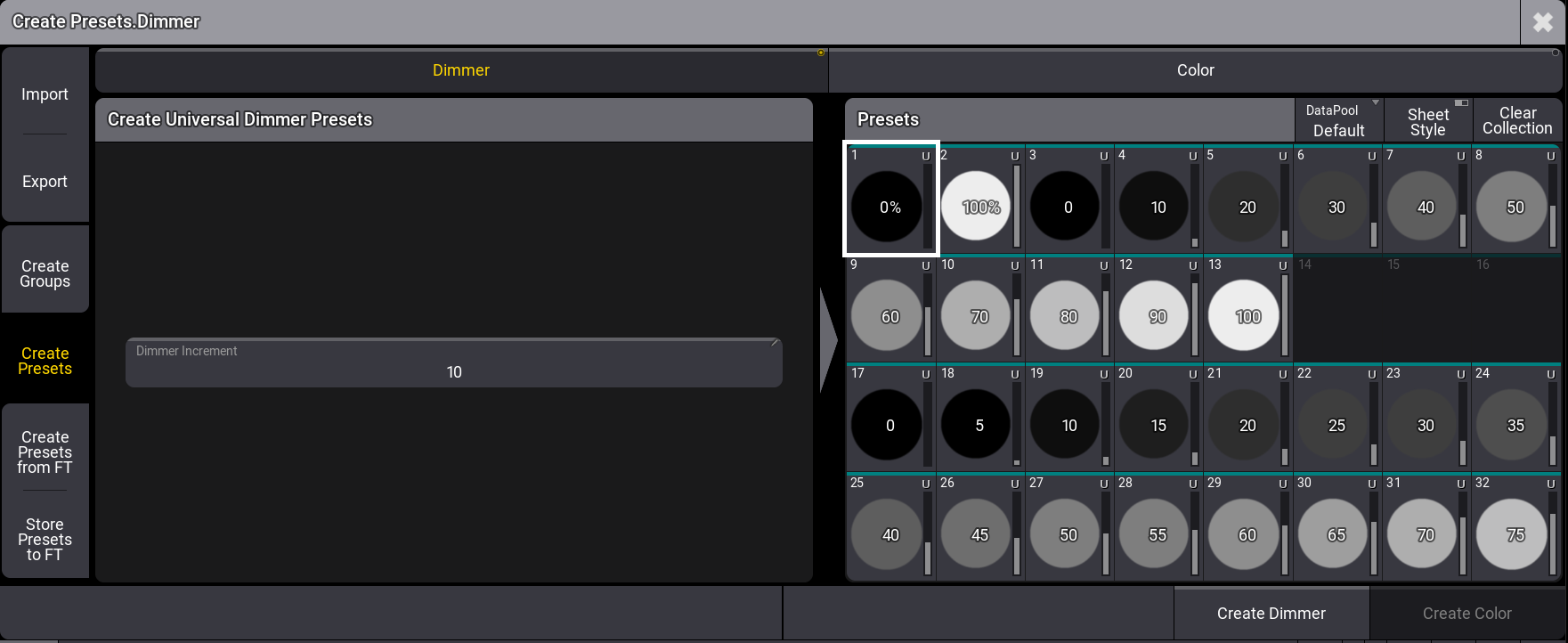
Create dimmer presets menu