Parent Child Fixture Behavior
When a fixture has one or more subfixtures, changing the values of an attribute of a subfixture that doesn’t exist will change the values of the corresponding attribute of the main fixture. See Parent Child Concept.
To understand better, follow the steps below.
Requirements for the following examples:
- Patch an Ayrton AlienPix RS and select mode Extended 16 Bit (52 ch). For more information, see Patch and Fixture Setup.
- Set the fixture ID (FID) to 1.
- Leave the patch and tap Save and Exit.
- Open a fixture sheet. See Add Window.
- Expand the fixture sheet by typing the arrow on the left-hand side of the window.
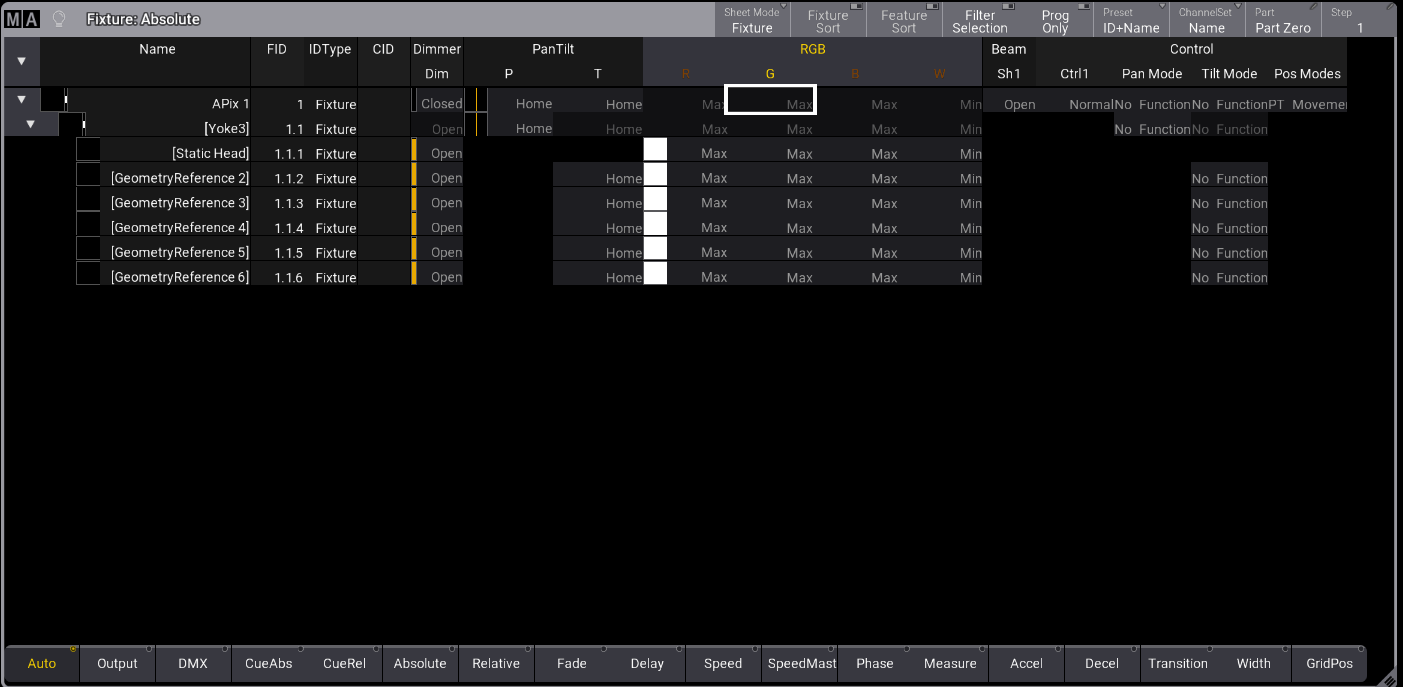
The fixture sheet looks like this in Fixture Sheet Mode. See Fixture Sheet Modes.
Changing Values of Non-Existing Attributes
Section titled “Changing Values of Non-Existing Attributes”For the following example, follow these steps:
-
Enter in the command line:

User name[Fixture]>Fixture 1.1.1 -
Tap Position in the encoder bar.
-
Press the inner ring of the Pan encoder wheel to open the calculator.
-
Enter 50 and tap Please.
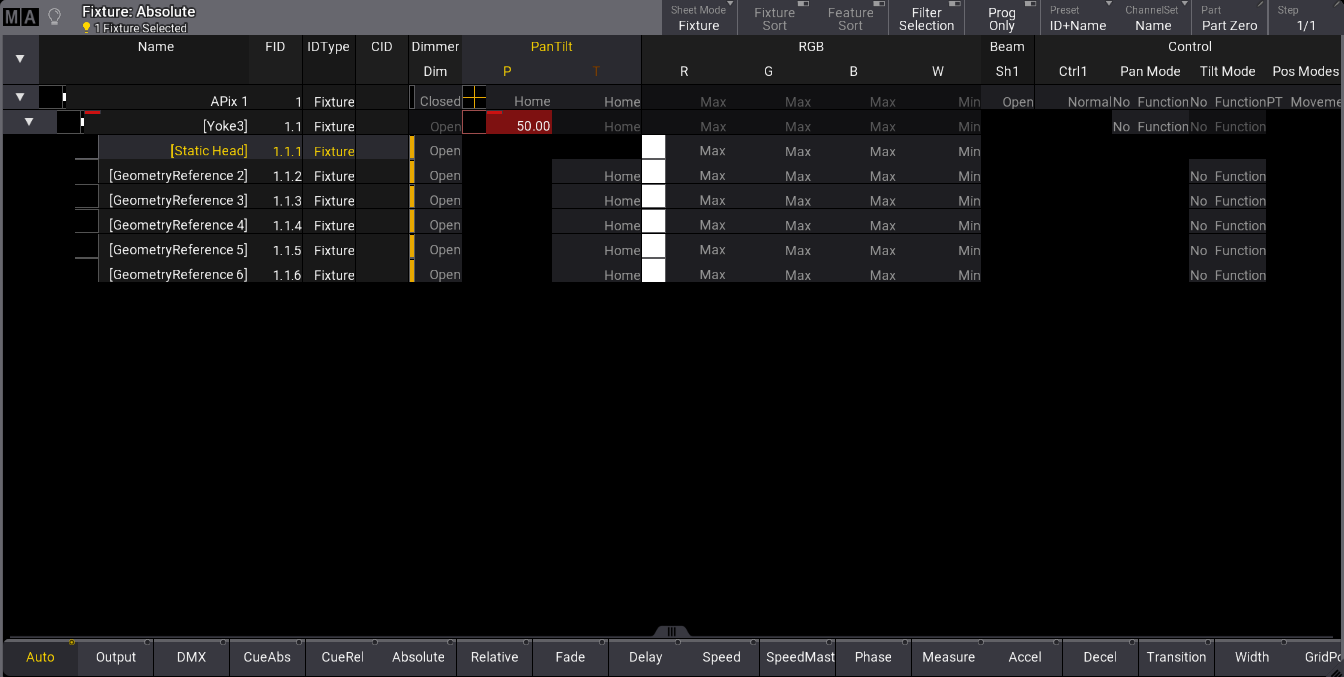
Since there is no Pan attribute for subfixture 1.1.1, the Pan attribute value for fixture 1.1 was changed to 50 even if it was not selected. See the image below.