DumpLog
To enter the DumpLog keyword in the command line, use one of the options:
- Type DumpLog
- Type the shortcuts Du
Description
Section titled “Description”DumpLog is a function keyword that is used to deposit the output of the system monitor in form of a text file in case you should experience any inconsistencies or errors in the software. Hence, use this keyword if you are prompted by the tech support. Regardless of the location the files are stored to – internally or to a USB drive – the path is always **gma3_library. **
 | Hint: |
| If you insert one USB drive only, the logs will be automatically dumped onto this drive. If you insert more than one USB drive, you will have to specify the drives you would like to save the logs to. |
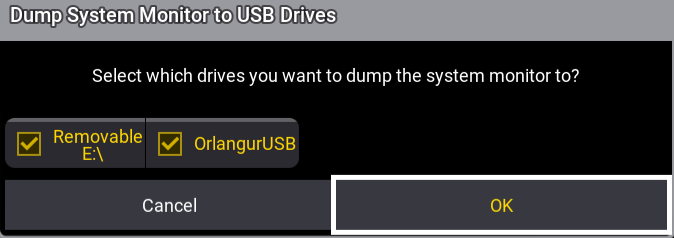
Select Drive to Dump the Logs
Syntax
DumpLog
Option Keywords
Section titled “Option Keywords”The DumpLog keyword uses the following option keywords:
Example
Section titled “Example”- To deposit the output of the system monitor, type:
 | User name[Fixture]>DumpLog |