Recipe Editor Window
Recipe Editor Window
Section titled “Recipe Editor Window”The Recipe Editor window is useful for working with Programmer Parts and offers a visualization of recipe lines. For more information on programmer parts and the programmer, read What is the Programmer.
The programmer can have several parts (Maximum: Part Zero + 239 individual parts = 240 parts). The Recipe Editor window shows all parts of the current programmer. Parts can be labeled here directly.
The columns of the recipe editor sheet and the context area, are described in the Recipe Editor topic.
With the the recipe editor window you can create standard and phaser recipes, and store them directly into cues, cue parts, and presets. All recipe lines can be edited.
The Recipe Editor window can be found in the Add Window pop-up in Tools - Recipe Editor.
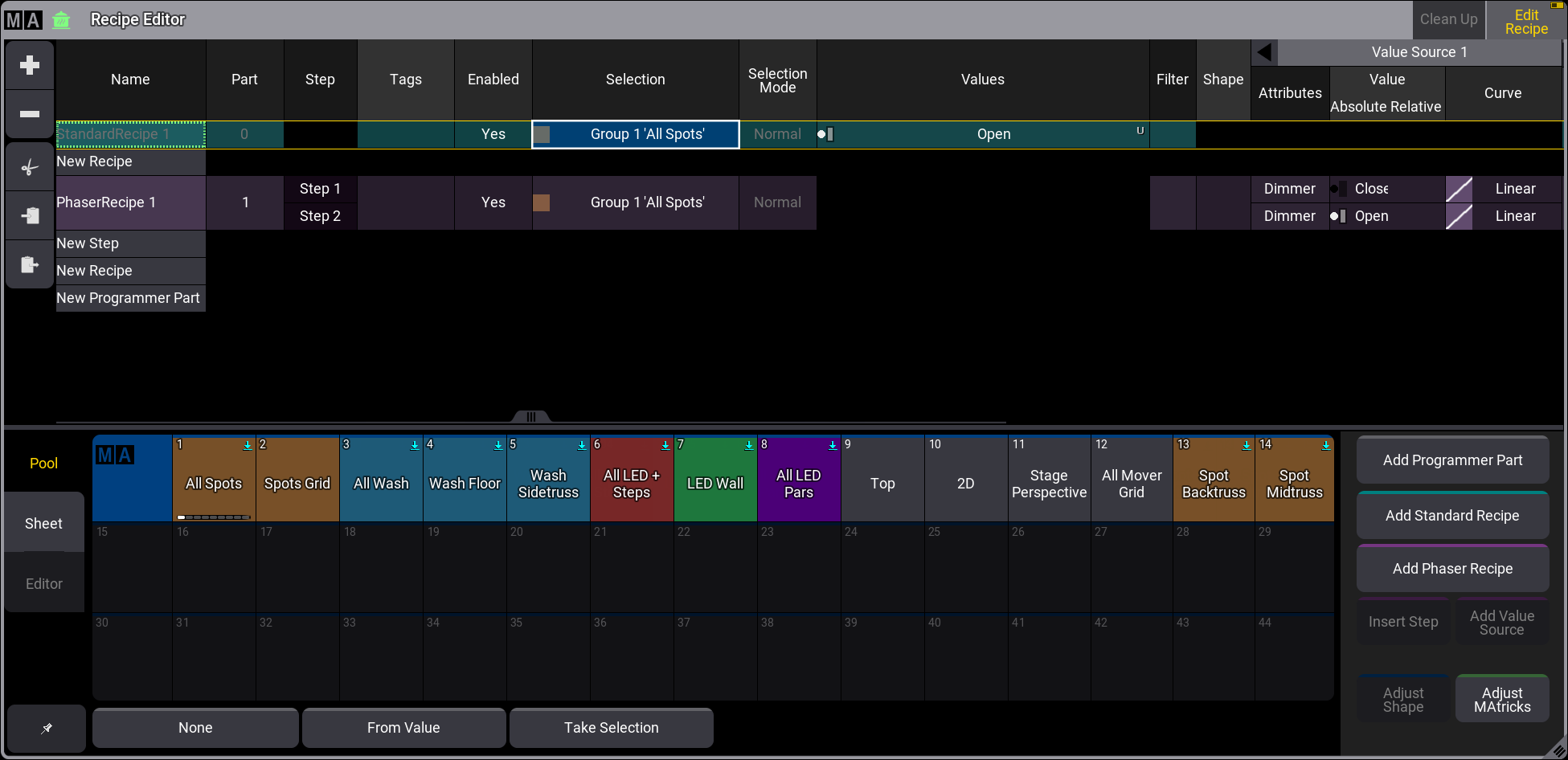
Recipe Editor window with a ‘StandardRecipe 1’ selected and an additional ‘PhaserRecipe 1’
To enable the edit recipe mode, tap Edit Recipe in the title bar. For more more information, read Edit Recipe Mode.
Tap on a Part to select it for creating recipes.