ListReference
To enter the ListReference keyword in the command line, use one of the options:
- Press MA + List
- Type ListReference
- Type the shortcut Listr
Description
Section titled “Description”ListReference is used to display references and/or dependencies in your show file.
Examples of references between objects, only to mention a few:
- Layout to group, to macro, or to fixture
- Preset to cue, to preset (embedded preset)
These references and/or dependencies depend on the use of the object in the show file.
Syntax
Section titled “Syntax”ListReference [Object] [“Object_Name” or Object_Number]
Example
Section titled “Example”- To list the references and dependencies of group 1, type:
 | User name[Fixture]>ListReference Group 1 |
The info pop-up opens listing references and/or dependencies:
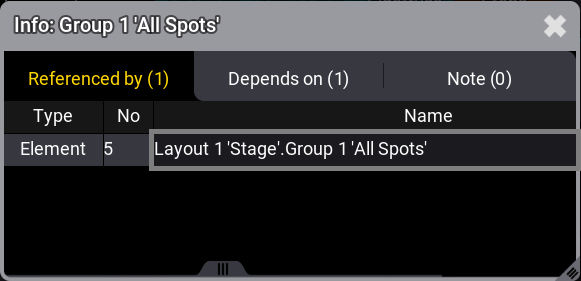
Current references, dependencies, or notes