Key Backlight
The Key Backlight Window is located in the Setup, column Console, Key Backlight.
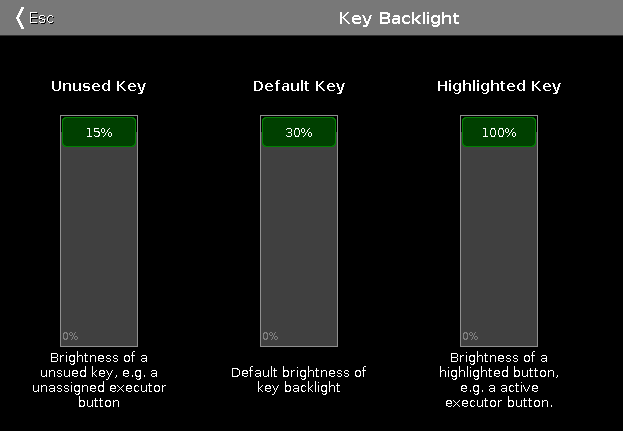
In this window, you select the brightness of the backlight from the keys.
There are three sliders: Unused Key, Default Key and Highlighted Key.
Unused Key
Section titled “Unused Key”The unused key slider is the first one of the three.
To select the brightness of the unassigned executor buttons, move the slider up or down.
15 % is the highest value to select.
Default Key
Section titled “Default Key”The default key slider is the one in the middle of the three.
To select the brightness of the keys in the command area, move the slider up or down.
30 % is the highest value to select.
Highlighted key
Section titled “Highlighted key”The highlighted key slider is the third one.
To select brightness of the highlighted key on the console, move the slider up or down.
100 % is the highest value to select.
To leave the Key Backlight Window, tap  in the title bar or press Esc on the console.
Encoder Bar Functions
Section titled “Encoder Bar Functions”The default encoder speed is without decimal place.
To change the encoder speed into slow, that means with decimal place, press  on the console.

Unused Key:
To select the brightness of the unassigned executor buttons, turn the encoder left or right.
Default Key:
To select the brightness of the keys in the command area, turn the encoder left or right.
Highlighted Key:
To select brightness of the highlighted key on the console, turn the encoder left or right.