- [Minus]
This page describes the syntax and how to use the - [Minus]**** command.
Description
Section titled “Description”With the - [Minus] command you can:
- Deselect objects from a selection list
- Reduce the dimmer value
- Call the previous page
Syntax
Section titled “Syntax”1. Remove objects from a list:
- 5
2. Reduce dimmer values:
At - 12
3. Call previous page:
Page -
The - [Minus] command is a helping command and needs a second command or a number.
Example 1
Section titled “Example 1”Let´s assume, you have a long selection list with fixtures and you will deselect one of them.
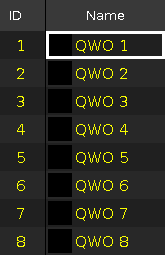
Figure 1: All fixtures selected
- Press - 5 Please on the console.
The fixture ID 5 is removed from the selection list.
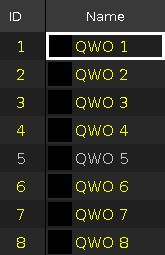
Figure 2: Fixture 5 is removed from the selection list
Example 2
Section titled “Example 2”Let´s assume, you have a long selection list with fixtures and you will deselect fixture ID 5 thru 7.
Figure 3: All fixtures selected
- Press - 5 Thru 7 Please on the console.
The fixture ID 5 thru 7 are removed from the selection list.
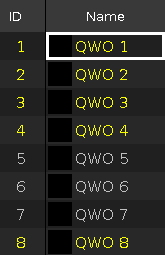
Figure 4: Fixture 5 thru 7 are removed from the selection list
Example 3
Section titled “Example 3”Let´s assume, you will reduce the dimmer value by 12 % from selected fixtures.
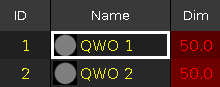
Figure 5: Dimmer at 50
- Press At - 12 Please on the console.
The dimmer values are reduced by 12 %.
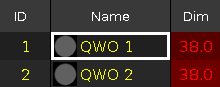
Figure 6: Dimmer reduced by 12%
Hint:
To reduce the dimmer value by 10 %, press the - key twice.
Example 4
Section titled “Example 4”Let´s assume, you will call the previous page
- Press Page - Please on the console.
The previous page opens.