Function Sets
Function sets display the function of each subattribute and offer quick access to specific functions.
These function sets are displayed in calculators of grandMA2 and dot2.
Requirement:
- Set channel function ranges
For more information see Channel Function Ranges.
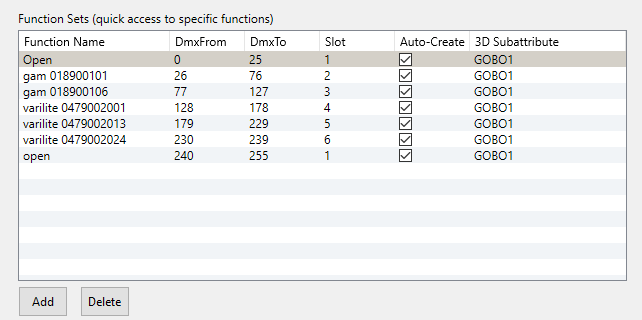
Function sets
The table Function Sets consists of six columns:
- Function Name: Displays the name of the channel function in the console, for example the label in the calculator or in a preset.
- Dmx From: Displays on which DMX value the subattribute starts.
- Dmx To: Displays on which DMX value the subattribute ends.
- Slot: Displays the slot of a wheel if the fixture has a color or a gobo wheel.
- Auto-Create: Displays if a preset will be generated by the auto create function in the console (grandMA2 only)
- 3D Subattribte: Displays the corresponding subattribute the function set belongs to.
It is possible to:
function sets in the corresponding table Function Sets.
- To edit function sets, double-click a row in the table Function Sets.
- The window Add Function opens.
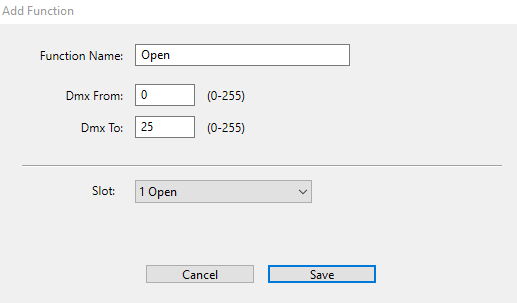
Edit function set
- Adjust the settings of the row you clicked.
- To save the settings edited, click Save.
- The function set is now edited.