Add a function set
It is possible to add function sets:
- Click Add below the table Function Sets.
- The window Add Function opens.
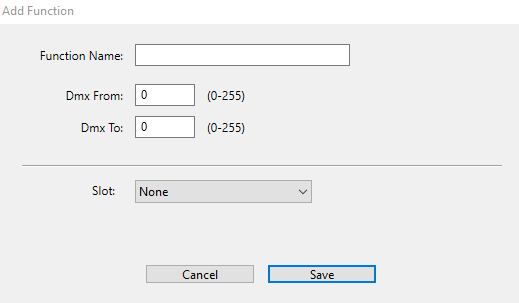
Add a function set
- Enter the function name in the corresponding input field.
- Enter the DMX range in the input fields Dmx From and Dmx To.
- Select the slot in the drop-down list.
- To save the function set, click Save.
- To abort the operation, click Cancel.
- The settings are now saved.