Attributes
The Attributes display the purpose of each DMX channel.
It is possible to:
DMX channels in the table Attributes.
- To edit the attributes, double-click the cell below a column. The cell is selected and is displayed in blue. Type to edit using the keyboard of your PC.
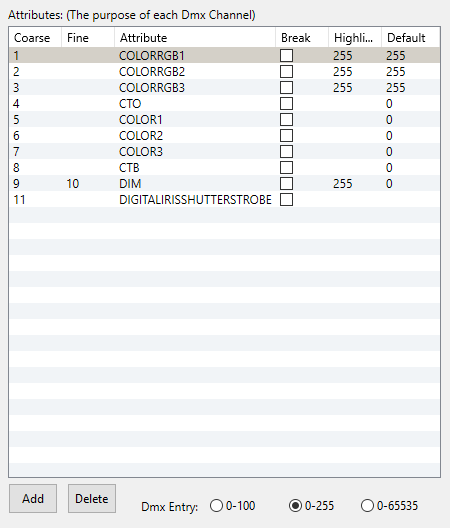
Attributes
The table Attributes consists of six columns.
- Coarse: Displays the coarse 8 bit DMX address.
- Fine: Displays the fine 16 bit DMX address.
- Attribute: Displays the fixture attribute.
Start Address:
All attributes share a start patch number after a start address. This allows the creation of fixtures using multiple DMX start addresses. DMX channel 1 is always a start address. If another DMX channel is set to a start address, it is displayed as two horizontal black lines.
- Break: Displays the DMX start address of a fixture. There are up to four DMX start addresses in a fixture type.
- Highlight: Displays the highlight value.
- Default: Displays the default value.** **
- DMX Entry
0-100: Displays values in percent.
0-255: Displays values in decimal 8 bit.
0-65535: Displays values in decimal 16 bit.