Edit LAGs
The LAG (Link Aggregation Group) combines several physical ports to create a single high-bandwidth data path as well as to implement the traffic load shared among the member ports in a group.
LAG enhances the connection reliability and efficiency.
Important:
The first port that joins an LAG sets its settings to default settings of the LAG. All ports that are in an LAG have the same settings.
Requirement:
Connection to the web interface
- Click Edit Ports / Groups.
- To change the names of the LAGs in the table LAG Names, click in the row and type the name.
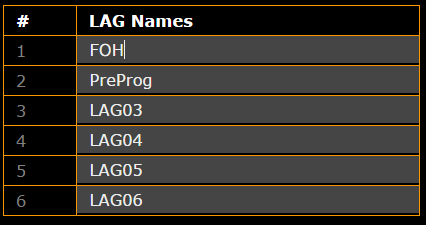
Edit LAG names
- Click Apply settings and stay where you are or Apply settings and leave edit.
The names of the LAGs have been adjusted and saved in the startup configuration.
- Assign a port to an LAG in Choose LAG:
-Click the LAG you would like to assign a port to.
-A green dot is displayed in the LAG.
Hint:
-The ports that are connected to one and the same LAG must have the same LAG ID in a switch.
-The ports in a counterpart switch must have an identical LAG ID as well. This LAG ID does not have to correspond another switch´s LAG ID.
-For reasons of clarity, we recommend you use the same LAG IDs for the same LAG in different switches.
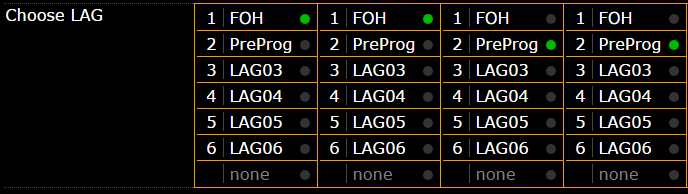
Assign LAGs to ports
- Click Apply settings and stay where you are or Apply settings and leave edit.
The LAGs are assigned to the ports and are saved in the startup configuration.