Edit IGMP Snooping
IGMP snooping avoids ports to be flooded with undesired multicast packets.
It is a smart way to manage multicast packets, and forward them to the registered ports.
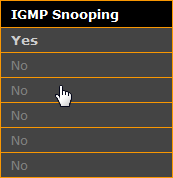
IGMP snooping is disabled by default.
Hint:
To forward only known multicast network packets, enable IGMP Snooping and IGMP Querier. Disable unknown flooding.
Requirement: Connection to the web interface.
- Click Edit Ports / Groups.
- Click in the IGMP Snooping column, that box you want to enable or disable.
- Click Apply settings and stay where you are or Apply settings and leave edit.
IGMP snooping is enabled or disabled for the selected group, and saved in the startup configuration.